TapeACall records by merging your call into a three-way call with its own recording line. That works, but it costs you an action on every call, it depends on what your carrier allows, and what you get back is a recording with a transcript. Ajora runs fully automatically: outgoing you dial from the app, incoming runs through call forwarding, and there is no button to forget mid-call. Once you hang up, a summary with action items is waiting, encrypted on servers in Germany.
Ajora records your phone calls automatically. A few minutes after you hang up, a summary with action items is ready.
What is TapeACall?
TapeACall is an American app for recording phone calls, and one of the oldest of its kind. What you get back is a recording with a transcript alongside it; whatever was agreed you pull out yourself.
The app does three things: record, transcribe and share. They claim transcription at 99 percent accuracy, plus exports to Dropbox, Google Drive and email. What is not in there is the step after that. An audio file with the text next to it is the end point, so the summary, the action items and the agreements you pull out yourself.
How does TapeACall record a call?
Through a three-way call. The app dials its own recording line and you merge it into your call with Merge calls, after which the call runs over their line. Two conditions come with that: your carrier has to allow three-way calling, and you have to do it yourself on every call.
TapeACall has no access to your call audio, because iOS and Android do not hand it over. So they solve it with a three-way call. You put the other person on hold, the app dials their recording line, and you press Merge calls. From that moment the call runs through their line and gets recorded. In the newer free app that can happen automatically for outgoing calls.
Two things come with that. Your carrier has to allow three-way calling, and you have to do it yourself on every call. TapeACall says so in the App Store: SimpleTalk and H2o Wireless in the United States do not offer it, and EE in the United Kingdom no longer does on new plans. Their own support article about the merge button points at the carrier first when it fails.
What do users say about TapeACall?
On 17-10-2026 TapeACall sat at 3.6 out of 1,123 ratings in the Dutch App Store, and at 4.3 out of 38,301 in the United States. Five complaints come back from different people: merging fails, it does not work with every carrier, call costs add up, ‘lifetime’ turned out not to be lifetime, and support does not reply.
In the recent reviews in the App Store and Google Play, sorted by date, five complaints keep coming back, from different people, in 2025 and 2026.
1. The merge fails, or takes too long
This is the most common complaint. According to several reviews, nothing happens when you press Merge Calls, all the calls drop while merging, or the button takes so long to appear that the start of the conversation is already gone. Multiple users also report empty recordings and static instead of voices.
2. It does not work with every carrier
Because the recording leans on a three-way call, the app falls over the moment your carrier does not support one. Users report that it only works with carriers that allow conference calls. Dutch users also reported the Dutch recording number being unreachable for days, with dialling a foreign number as the only workaround.
3. The bill grows on two sides
You dial the recording line yourself, so those minutes run through your own plan. Anyone routed to a foreign number pays foreign rates. Multiple users report a phone bill of around 170 dollars on top of the subscription, with no warning up front. Dutch users describe the same thing for calls to North America.
4. Lifetime turned out not to be lifetime
The biggest source of angry reviews is the move to subscriptions. People who paid once for the Pro version years ago were locked out and asked to pay again, sometimes with their old recordings behind the paywall. According to several reviews the price went from around 20 dollars a year to 70 dollars a year, or to a weekly plan that works out far more expensive over a year.
5. Support does not answer
The complaint that runs underneath all the others. Multiple users report emailing about vanished recordings or an app that will not open and hearing nothing back, or landing at a chatbot. Dutch users write the same thing: reaching the help desk is not possible, there is only a chatbot.
In the Dutch App Store the free TapeACall app sits at 3.6 out of 1,123 ratings, and at 2.0 in the Dutch Google Play store. That same app sits at 4.3 out of 38,301 ratings in the US App Store and at 3.6 in the US Google Play store, checked on 17-10-2026. That gap between home market and Europe is exactly the pattern in the complaints above: it falls over on the things that are different here, like your carrier and the recording number.
What does Ajora do differently from TapeACall?
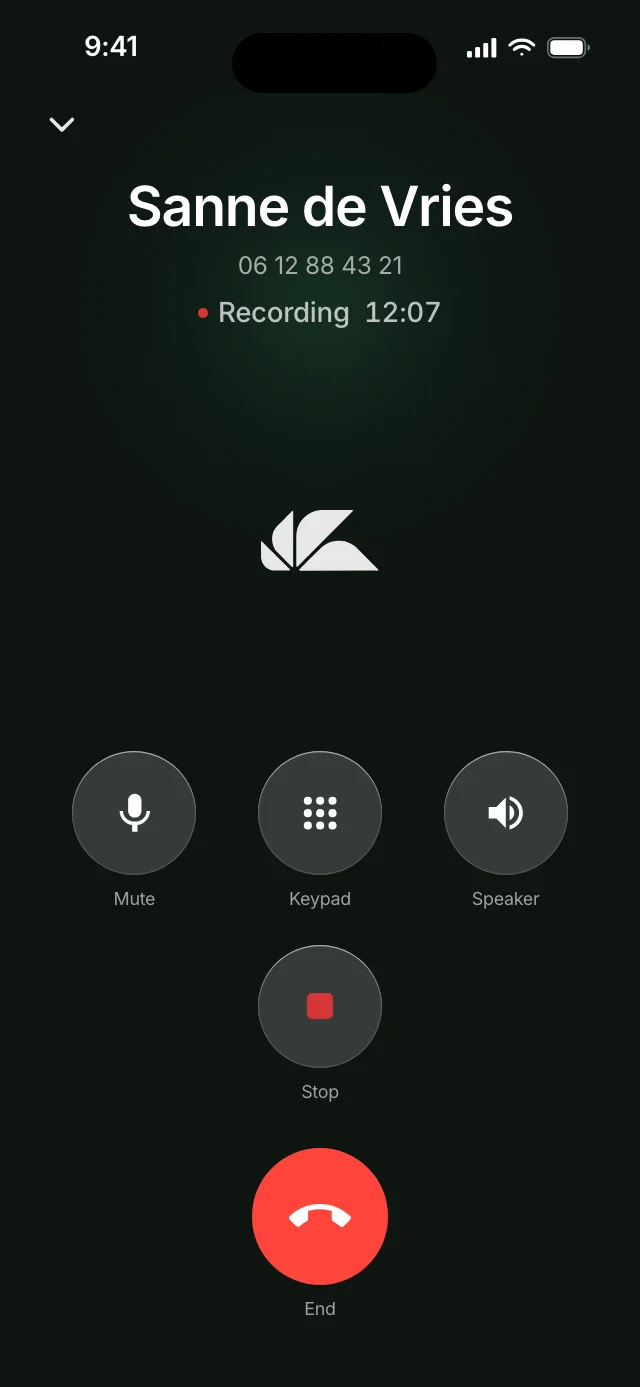
Ajora asks nothing of you while you are on the phone. With TapeACall you start every recording yourself; with Ajora it runs the moment you call or are called, with no button to forget and no start to miss. What you get back is a summary with action items rather than an audio file, with call minutes included in the subscription.
It runs fully automatically
Outgoing you dial from the Ajora app with your own contacts in it, incoming your calls come along on their own, including when the phone rings while you are driving or walking into a client meeting. There is no button to forget and no waiting time in which the start of the call has already gone. Setting it up is part of the onboarding in the app: it switches forwarding on for you and walks you through the steps.
Automatic, but you keep the controls
Automatic does not mean everything gets captured. Contacts can be marked as private, and calls with them are never recorded or stored. When you dial someone from the app, you choose per call between Call with Ajora and Call without Ajora. Whether incoming calls come along automatically is a setting you turn on or off, and during an incoming call you can still drop Ajora out of it.
It learns your words
Names of clients, colleagues and products you use often can be handed to Ajora. They come back spelled correctly in your transcripts instead of guessed phonetically, so the longer you use it, the less there is to correct.
Which matters most if you call a lot
At two calls a week, one action per call is fine. At twenty a day it is not: it fails on exactly the calls you needed most, because the unexpected call from a client is the one you want to read back later. Automatic means you never think about it, and never find out afterwards that nothing was captured.
You get a debrief, not a file
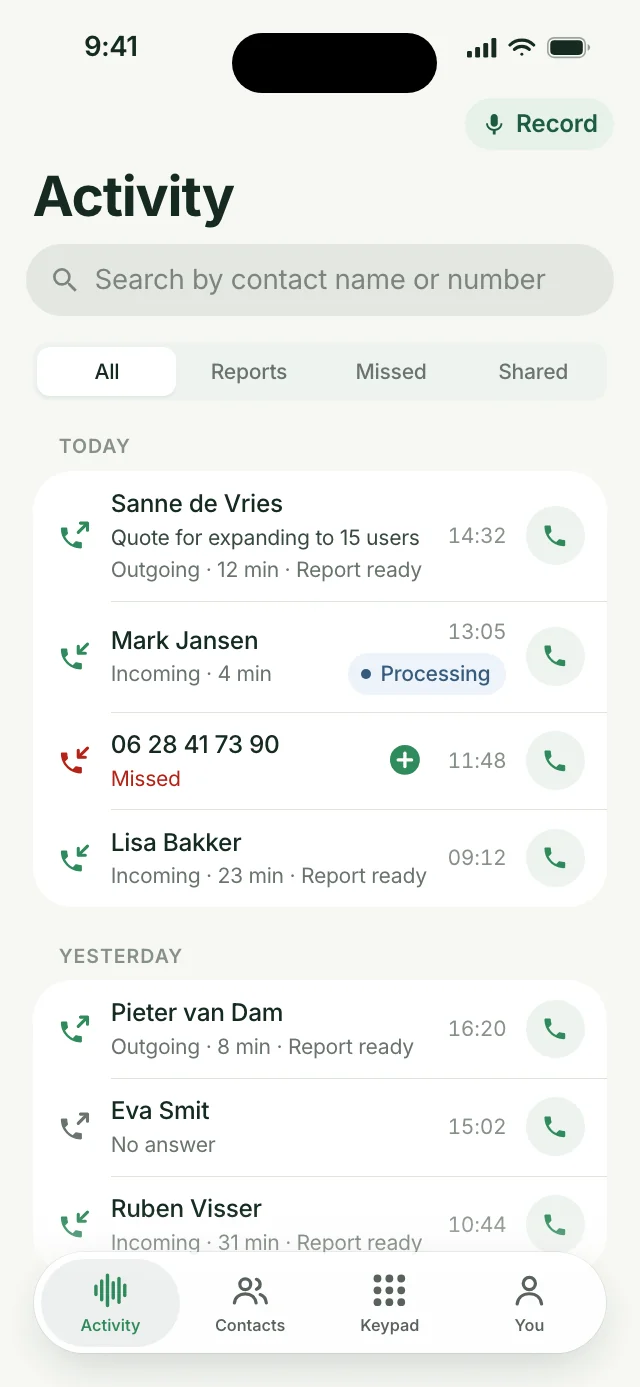
Within a few minutes of hanging up there is a summary waiting, with the action items and decisions pulled out and the full transcript underneath. That is the difference that matters in practice: a recording still has to be listened back, a debrief is read in thirty seconds. Because it is all text, you can search it too: what a client promised three weeks ago turns up on a name or a word, instead of you working through a folder of audio files.
In-person conversations too
Sitting in someone’s office or in a meeting? Tap Record in the app (on Android: Capture) and put your phone down. You get the same debrief, and with several people in the room Ajora recognises who says what.
Calling minutes are in the price
The Individual plan includes 600 call minutes a month. So there is no second bill from your carrier for dialling a recording line in another country.
European storage and encryption
Your transcripts sit on servers in Germany and are encrypted with a key tied to your account, so nobody but you can read your debriefs and transcripts. Your calls are never used to train AI models; that is in writing with the processors. If you cancel, your key is destroyed first. The details are on security, and the data processing agreement sits next to it.
Ajora or TapeACall: what are the differences?
TapeACall gives you a recording with a transcript and asks for an action on every call; Ajora gives you a summary with action items and asks for nothing during the call. The full comparison is in the table below.
| TapeACall | Ajora | |
|---|---|---|
| Starting a recording | Merge into their recording line yourself. Outgoing can be automatic in the new app. | Dial from the app, and when you are called it comes along automatically. There is nothing to do during the call. |
| Incoming calls | Put the caller on hold and merge yourself. | Automatic, once forwarding is on. |
| What you have to remember | Remember on every call, and start the recording yourself. | Nothing. Set it up once and it runs on its own. |
| Depends on your carrier | Your carrier has to allow three-way calling. | Your carrier has to allow call forwarding. If it does not, you add Ajora by hand. |
| What you get back | A recording and a transcript. | Summary, action items, decisions and the full transcript. |
| Conversations in person | No separate feature for it. | Yes, with speaker recognition. |
| Private calls | Recording is on or off; there is no list of contacts it skips. | Contacts can be marked private, and per call you choose whether Ajora listens in. |
| Getting better at your words | Fixed transcription, not tunable to your names. | Hand over the names you use often and they come back spelled correctly. |
| Call charges | You dial their recording line on your own plan. Users report foreign rates. | 600 call minutes a month are included. |
| Where your data sits | Their privacy policy names transfers to the United States. | Servers in Germany. |
| Who can get to it | Recordings and transcripts are stored with their cloud storage and telecom provider. | Encrypted with a key tied to your account. Nobody but you can read them. |
| Keeping and deleting | Up to three years after your last use, five years for legal obligations. | On cancellation your key goes first, then your data within 30 days and the backups within 90 days. |
| Data processing agreement | Not published on their site. The app points to a general privacy policy. | On the site and ready to sign. |
| Last update | The Pro app on 13-02-2025, the free app on 20-04-2026. | The app has been in the App Store since 29-08-2026. |
When is a plain recording app enough?
When you record an interview a few times a year and only want to keep the audio file. The moment calling is part of your job it tips over: one action per call stops being a detail and becomes the reason the call that mattered most never got captured.
Ajora is built for that second case. You are on the phone all day, your calls are about agreements, quotes and case files, and afterwards you want to know what was promised without listening back to an hour of audio. That is why it is on the moment you call or are called, and why you get a summary with action items instead of a file.
How about the record button on your iPhone?
That button has existed since iOS 18.1, but Apple does not ship call recording in the European Union. So you will not see it in the Netherlands, and that is exactly why apps like TapeACall and Ajora exist here.
Since iOS 18.1 Apple’s Phone app has its own record button, with a transcript in Notes. Useful, but not here: Apple states that call recording is not available in the European Union. So in the Netherlands you will not see that button at all. That is exactly why apps like TapeACall and Ajora exist here. How the built-in recorders compare with a recording app is in how to transcribe a phone call.
On what you may and may not do when recording a call under Dutch law, there is a separate piece: is it legal to record a call.
Frequently asked questions
What is the best TapeACall alternative in the Netherlands?
Ajora. A recording app like TapeACall hands you an audio file you still have to listen back to; Ajora joins the call automatically, incoming calls included, and puts a summary with action items under it within minutes. Call minutes are part of the subscription, transcripts are encrypted on servers in Germany, and there is a data processing agreement the moment you work with client data.
Which app records phone calls fully automatically?
Fully automatic means incoming calls too, without you doing anything while on the phone. That only works when the recording sits on the line rather than behind a button in an app. With Ajora you switch on forwarding once and every call comes along after that. With TapeACall only the outgoing merge can be automatic; an incoming call you start yourself.
Does TapeACall record automatically?
On outgoing calls the newer free app can do the merging for you. On an incoming call it cannot: you put the caller on hold, dial the recording line and merge. With Ajora you can switch on having incoming calls captured automatically too, and switch it off again whenever you want.
Does TapeACall work with every carrier?
No. The recording relies on a three-way call, so your carrier has to allow it. TapeACall names carriers where it does not work in its own App Store listing, and its support article about the Merge calls button points at the carrier first. Ajora relies on call forwarding, which works on KPN, Vodafone/Ziggo, Odido and plenty of other carriers. Where a carrier does not allow it, you add Ajora by hand.
Is TapeACall free?
There is a free app to try, but recording sits behind a subscription or a purchase. In the app stores that is the most common disappointment: people find out the price only after entering their phone number, and your carrier’s bill for dialling the recording line comes on top. With Ajora you know up front: you try it free for seven days with 60 call minutes, then it is €19 a month with 600 call minutes included, and fourteen days money back.
Is TapeACall Pro still updated?
Not since 13-02-2025. TapeACall Pro is still in the App Store as a paid app, at €11.99 in the Netherlands, but its last update was version 5.11.12 on that date. The free TapeACall app with a subscription was last updated on 20-04-2026. Both were checked in the App Store on 17-10-2026.
Does the other person hear that you are recording?
With TapeACall the other person notices the call turning into a conference call, and in certain countries they also get a beep or a notice. With Ajora nothing sounds, so the other person does not pick up on anything by themselves. In the Netherlands you may capture a call you take part in yourself, and if you keep the write-up to yourself, article 2 of the GDPR puts that outside the privacy rules altogether. Use it for work and you are processing personal data, and article 13 of the GDPR does require you to say so: one sentence at the start of the call is enough. The full explanation is in is it legal to record a call.
Does TapeACall work in the Netherlands?
Yes, but it is clearly less well sorted here than in its home market. The rating is lower, and in 2024 Dutch users reported the Dutch recording number being unreachable for days, with dialling a foreign number as the fallback. Ajora is built in the Netherlands for the Dutch market: your own Ajora number, call minutes in the subscription, and support from the people who build it.
Can I take my recordings out of TapeACall?
Sharing works per recording, through email, Dropbox or Google Drive, but there is no way to take everything with you at once; it has to be done one by one. Reviews from people who cancelled report that they could no longer reach their old recordings afterwards, so download everything before you cancel.
What does Ajora cost?
Individual costs €19 a month, or €15 a month if you pay for a year up front. That includes 600 call minutes a month. Teams pay €28 per user per month, from three users up. The monthly plan can be cancelled every month, and there is a money-back guarantee for fourteen days after your first payment.
Can anyone at Ajora read my calls?
No. Your transcripts are encrypted with a key tied to your account only, so nobody but you can read your debriefs and transcripts. They sit on servers in Germany and are never used to train AI models.
Torn between an app and a recording device? Read Plaud alternative: what works better if you are mostly on the phone?. Wave records a call in progress the same way TapeACall does, with a line you merge in; that comparison is in Ajora vs Wave. Questions about privacy or the data processing agreement go through contact; you get an answer from a founder.
You can try Ajora free for seven days, with 60 call minutes and no payment details needed. Create your account at debrief.ajora.io/register, download the app for iPhone or Android and sign in with the same details. Teams do not get a trial: see Ajora for sales teams.
Sources
- TapeACall: Call Recorder in the App Store, with ratings and the most recent reviewsApple App Store, accessed 17-10-2026
- TapeACall Pro in the App Store, version 5.11.12 dated 13-02-2025Apple App Store, accessed 17-10-2026
- TapeACall: Call Recorder on Google Play, with the most recent reviewsGoogle Play, accessed 17-10-2026
- The Merge Calls button is not working. What should I do?TapeACall Support
- TapeACall, features and ownershiptapeacall.com, accessed 06-09-2026
- Privacy policy with retention periods and transfers to the United StatesBending Spoons, accessed 06-09-2026
- Record and transcribe a call on iPhone, including the countries where it is unavailableApple Support

One of the three co-founders of Ajora. Jort focuses on user experience and growth.