New: try Ajora free for 7 days · API, webhooks and MCP on paid plansNew: try Ajora free for 7 days
Available on iOS and Android

Your phone calls, automatically transcribed.

Your outgoing and incoming phone calls are transcribed automatically by the Ajora app. The moment you hang up, your debrief is ready.

60 call minutes · no card needed · ends by itself

GDPR compliantStored in the EUStored encrypted

A call in progress with recording activeAjora is on the call
Sales call about a new partnership, Acme BVCompleted

Just now  ·  18 minutes  ·  outgoing

Introduction call with the sales team at Acme BV about a new partnership. Acme wants to speed up their quoting process and asks for an integration with their CRM. Budget is approved for this quarter. Next step is a demo with the full team.

Action items3 open

Picked up automatically during the call

  • Schedule a demo with the sales team
  • Draw up a price proposal for 15 users
  • Pass the CRM integration to Tom
TranscriptComplete
Acme BVOur main problem is that a quote takes three days at the moment. Can you do that faster?
YouWe can do it within a day. I will set up a demo and show you exactly how that works.
Acme BVGood. Please cover the integration with our CRM as well.
This debrief was ready in the app and in the inbox a few minutes after the call.
The problem

The phone rings. No time to prepare.

Real calls do not announce themselves. You pick up, and the important details slip straight through your fingers.

Unexpected calls

You answer right away. No time to prepare, no pen within reach. You are on your own.

Note-taking distracts

If you are writing, you are not listening. You miss the nuance and the exact agreements, precisely when they matter.

No structure

After the call you still have to pull out the action items yourself. Usually that never happens.

Context disappears

Sharing what was said with your team is hard and details are impossible to find later. Until someone remembers the call differently than you do.

The debrief

A briefing your team actually reads.

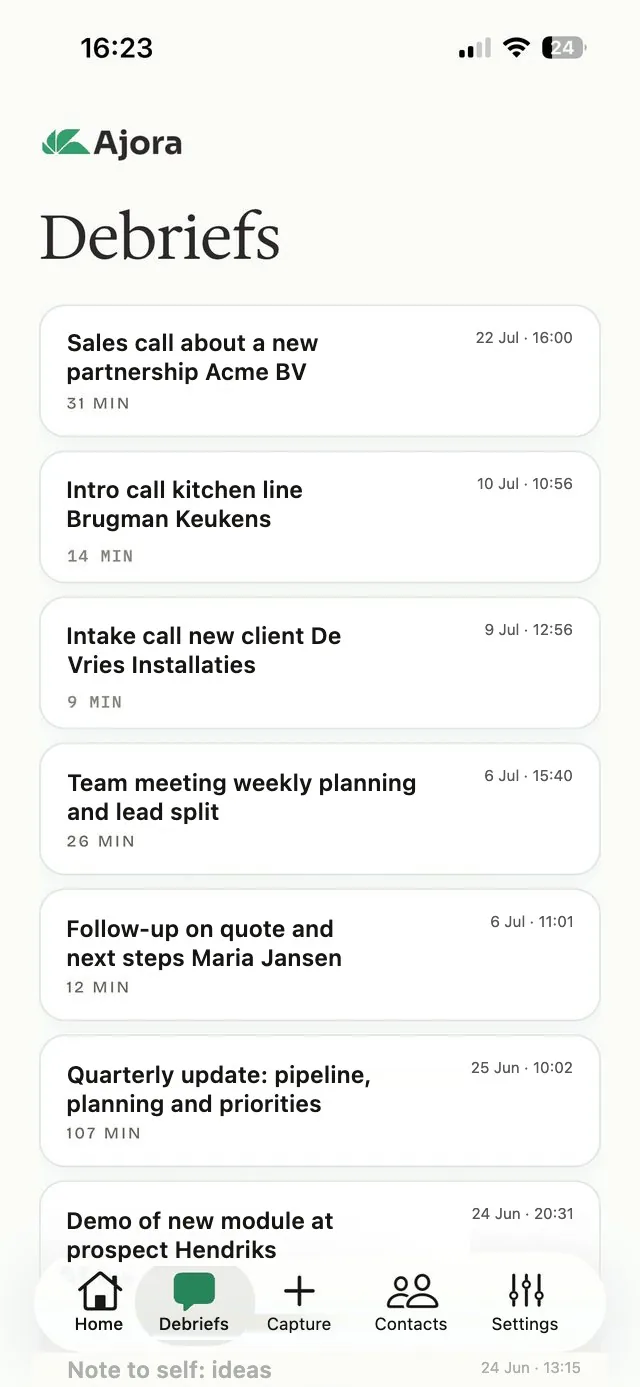
The list of debriefs in the Ajora app
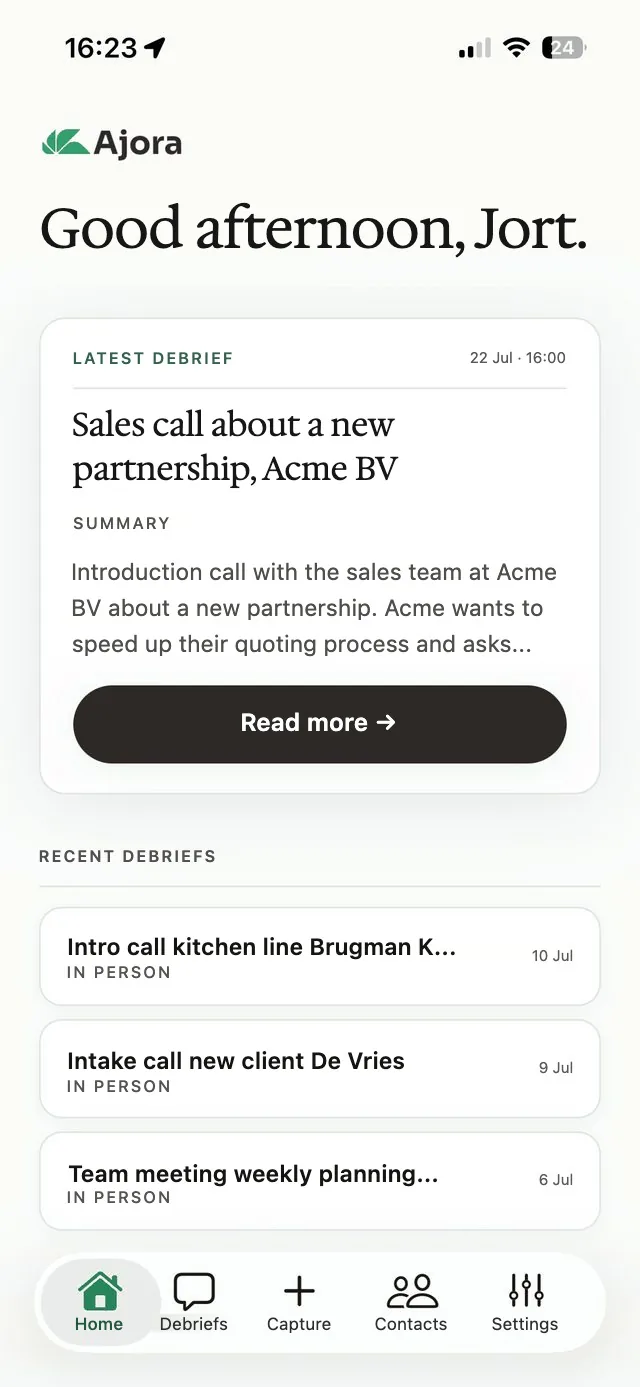
The home screen of the Ajora app with the latest debrief
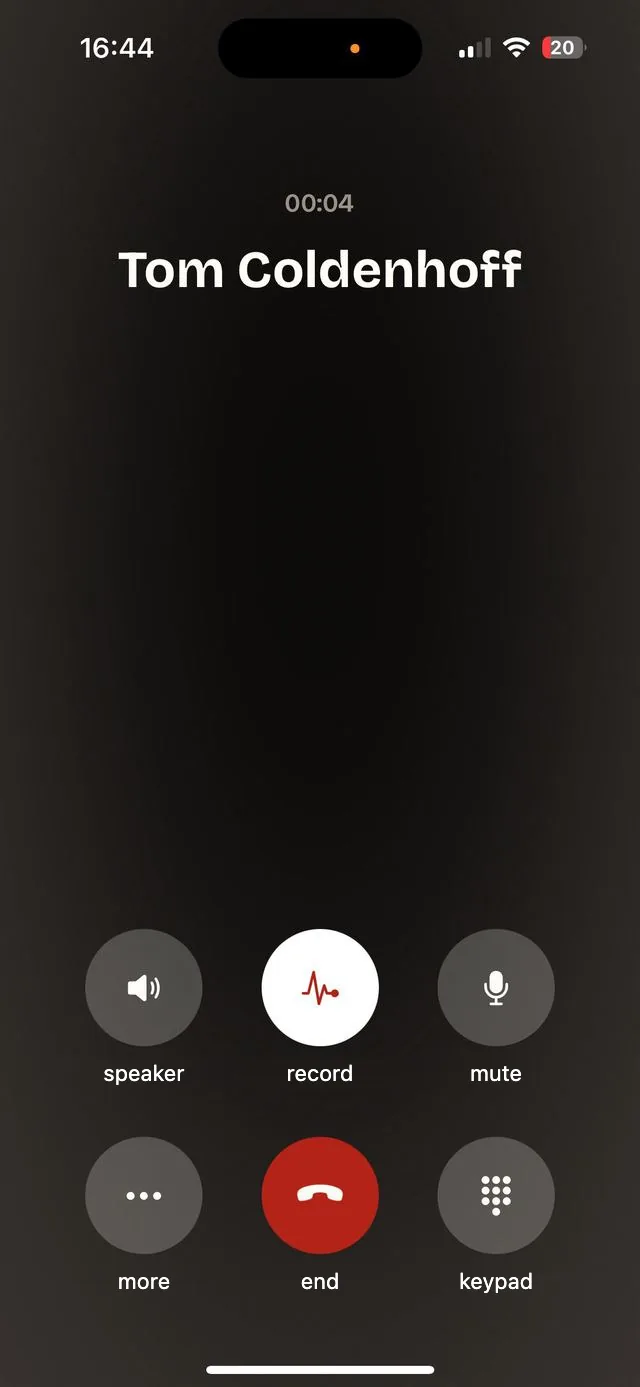
The call screen in the Ajora app
  • Summary

    A short overview of what was discussed, written to be read in thirty seconds.

  • Action items

    Concrete next steps, ready to move straight into your task list or CRM.

  • Decisions

    What was agreed, in writing. Useful when someone remembers it differently later on.

  • Full transcript

    Every word captured, exactly as it was said. Searchable by name and by topic.

  • Meetings in person too

    Sitting down with someone or in a meeting? Pick In-person recording in the app and you get the same debrief.

  • Straight into your CRM

    Every debrief goes to your CRM or your own system automatically, through webhooks or our API. Works with Zapier, Make or your own integration.

Security and privacy

Your data is yours. Nobody else's.

No AI training

Your calls are never used to train AI models. We have put that in writing with our processors.

Fully encrypted

Every debrief is encrypted with a key that belongs to your account alone. We cannot see your conversations.

GDPR compliant

Your transcripts are stored encrypted on servers in Germany. The recording is deleted automatically after transcription, within 24 hours at the latest. Transcription runs at a processor under a data processing agreement.

Questions about this? Email privacy@ajora.io and you will get an answer from a founder.

How it works

You call the way you always do. The app does the rest.

Call through the app

Step 1

Call through the app

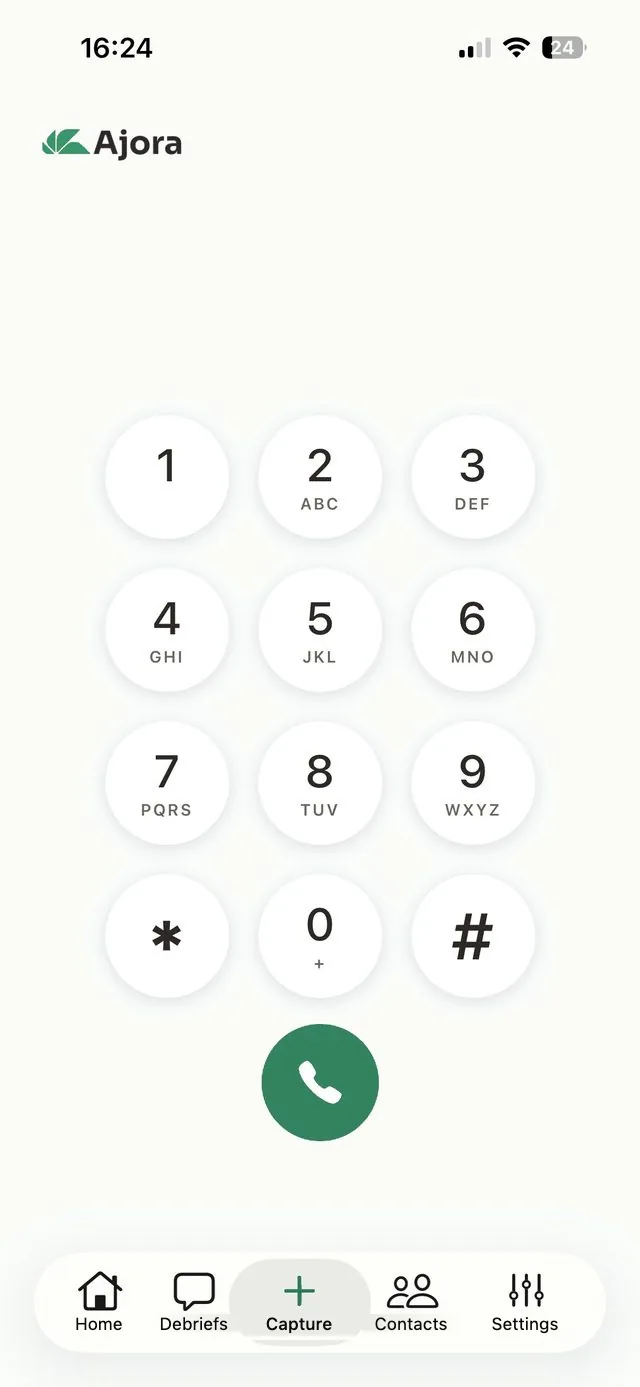
Ajora syncs with your contacts, so you call someone from your list or dial a number, just as you would in your usual phone app. You can have incoming calls transcribed automatically too, which takes about a minute to set up.

Ajora joins in

Step 2

Ajora joins in

Your screen shows that the recording is running. Let the other person know yourself that you are having the call transcribed.

Your debrief is ready

Step 3

Your debrief is ready

Within a few minutes, in the app and in your inbox. Action items at the top, transcript below.

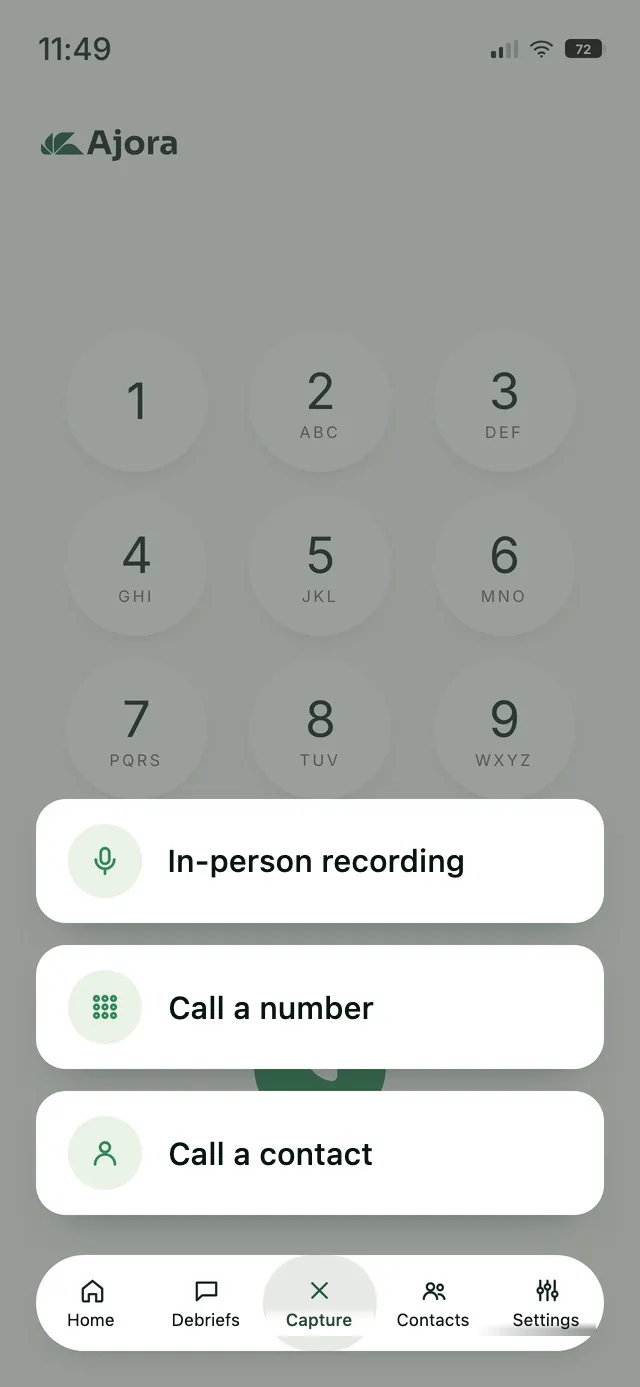
The Capture menu with the in-person recording option
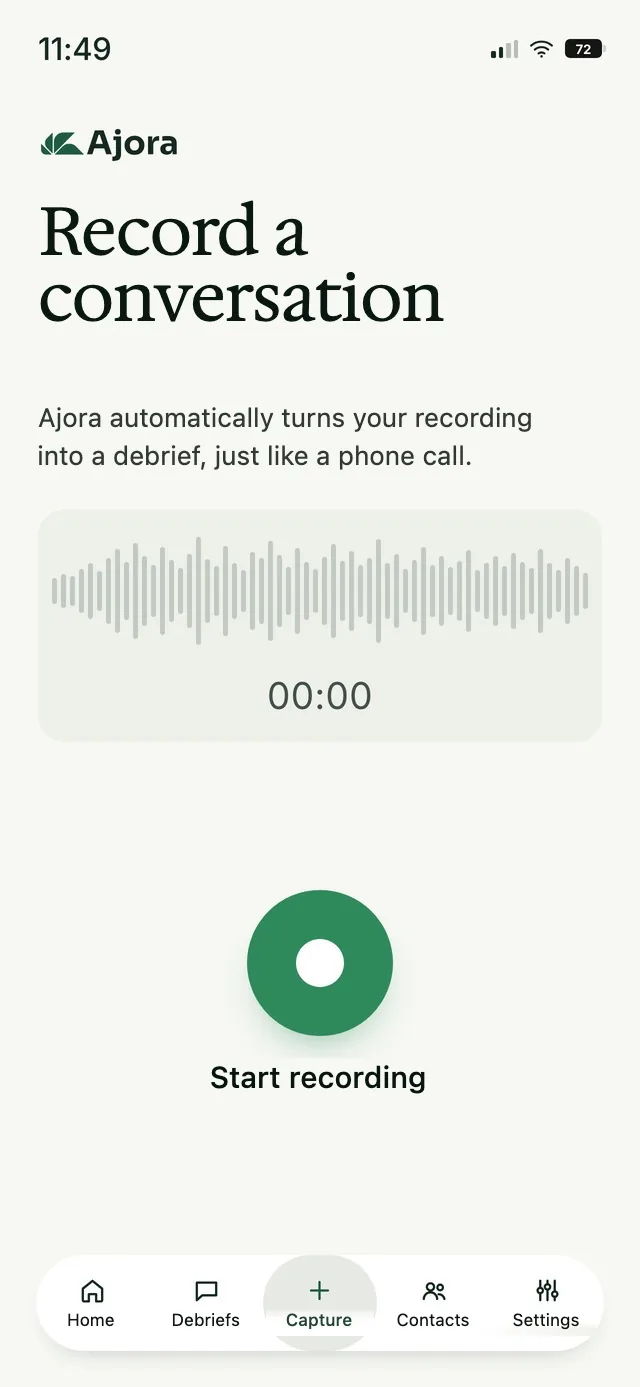
The screen where you record a conversation in person

No phone call needed

Sitting down with someone? Capture it just as easily.

An introduction on location, a team meeting or an intake meeting at a client site. In the app, pick In-person recording under Capture, press start and put your phone down. You get the same debrief as you would from a phone call.

  • Pick In-person recording under Capture
  • Ajora listens in and writes the conversation out
  • With several people around the table, Ajora tells the speakers apart

Integrations

Your calls, in the tools you already use.

A debrief does not have to stay in Ajora. Ask Claude or ChatGPT about it, save it to Apollo or send it on to your own CRM.

Ajora MCPClaudeChatGPT

Ask Claude or ChatGPT about your calls

The Ajora MCP server connects your account to Claude or ChatGPT. You ask your question in plain language and the AI looks up the answer in your own calls, summaries and action items. You sign in with your Ajora account, no code involved.

  • Works in Claude and in ChatGPT, with the same link
  • Read-only: the AI cannot change or send anything
  • Transcripts are only included if you switch that on
How to connect Ajora to Claude and ChatGPT
ApolloApollo.io

Your call note straight into Apollo

Ajora looks up the contact by phone number and saves the summary as a call note on the right contact. In one click, or automatically when the contact is an exact match.

How the Apollo integration works
API and webhooks

To your own CRM or system

Every debrief goes to your CRM, Slack or own system as soon as it is ready. Without code through Zapier or Make, or directly with our API.

How the API and webhooks work

Don't see your system here?

Working with a different CRM, ATS or DMS? Tell us which one and we will work out together how your calls get into it. Often that already works today, through the API or webhooks.

Partners and integrations

About us

Focus and privacy, without the hassle.

We could not find a tool that transcribed phone calls effortlessly and safely. So we built Ajora.

We built Ajora for ourselves first, because we had this problem ourselves.

The three founders of Ajora

From left to right: Tom Coldenhoff, Jort van Meenen and Aidan Cardinaal

Pricing

For individuals
€15per month, billed yearly€180 per year
600call minutes per month
  • Full transcript and summary
  • Call intelligence dashboard
  • Transcribe in-person meetings too (2,400 min)
  • API and webhooks
  • Connect Claude and ChatGPT (MCP)
  • For iPhone and Android
  • Keep unlimited debriefs
  • EU-hosted and GDPR compliant
Try free for 7 days
For teams
€22per user per month, billed yearly€264 per user per year
Sharedcall minutes for the team
  • Everything in Individual, plus:
  • Share debriefs inside the team
  • Admin and billing in one place
  • Priority support
  • Priority processing
  • From 3 users
Start now
For organisations
Custompriced to fit your situation
Customcall minutes and terms
  • Everything in Teams, plus:
  • Your own, separated data storage
  • Single sign-on
  • Audit logs and access control
Get in touch

All prices include VAT. You can try Ajora free for 7 days with 60 call minutes, no card needed, or subscribe straight away. After your first payment you have a 14-day money-back guarantee. The monthly plan can be cancelled every month.

Frequently asked questions

Am I actually allowed to record this?

In the Netherlands, recording a conversation you take part in is not a criminal offence. If you use Ajora for work, however, you are processing the other person's personal data, and the GDPR applies. So let the other person know at the start of the call that you are having it recorded, and ask if that's okay. The recording is deleted automatically after transcription, within 24 hours at the latest. Transcripts and summaries are stored encrypted in Germany. Calls outside the Netherlands may be subject to stricter rules.

Yes. In the app, pick In-person recording under Capture and press start. You get the same debrief as you would from a phone call.

No. Your transcripts are encrypted with a key that belongs to your account alone. We cannot read them.

Your account, calls and transcripts are deleted from our systems immediately. They may remain in our encrypted backups for up to 90 days, after which they are gone everywhere.

Yes. Outgoing calls go through the Ajora app, incoming calls run through your call forwarding to your Ajora number. So you need the Ajora app for that too. In both cases you do nothing during the call.

Ready to upgrade your phone calls?

Create your account and try free for 7 days

On iPhone you create your account and arrange your subscription inside the app. On Android you do that here on the site and then log in to the app with the same details.