Granola is an AI notepad for meetings, with no bot in the call. For phone calls its iPhone app has a dialler for outgoing calls. Incoming calls are not captured, and the Android app does not do phone calls. All data is stored in the United States. If you call a lot and get called a lot, an app that joins the line fits better: with Ajora incoming calls come along through call forwarding, on iPhone and Android. Ajora costs €19 a month and has no free plan. Granola does have one, and for video meetings it is the better choice.
What is the best Granola alternative?
That depends on the kind of conversation. For video meetings Granola itself is a good choice. For phone calls, an app that joins the line works better, because it also captures incoming calls and works on Android.
Granola is at its strongest on the computer. During a meeting the desktop app picks up the audio of your computer, so it works in Zoom, Google Meet, Teams and other meeting apps, with no bot joining. It then turns your own notes and the transcript into worked-out notes. It is good at that.
A phone call is a different problem. A phone does not hand the audio of a call to another app, so listening in the way the desktop app does is not possible there. On iPhone Granola solves it with its own dialler: you place the call from the Granola app. What falls outside that is in the next section.
To see Granola next to Otter and Fireflies, read can Granola, Otter or Fireflies record phone calls. This piece is about what to pick when Granola does not fit the way you call.
Why do people look for a Granola alternative?
On phone calls, mostly because of what the dialler does not cover. Incoming calls are not captured, and on Android Granola does not do phone calls. On top of that all data is stored in the United States, with no option for storage in the EU.
Incoming calls are not captured
Granola says so itself: because of limitations in iOS it cannot transcribe incoming calls at the moment. The workaround its help page gives is to ask the caller whether you can quickly call them back. That works when you think of it and the other person has the time. If you pick up without calling back, the call is not captured.
No phone calls on Android
Granola has an Android app, for in-person conversations. Its help page says phone calls are available on iOS only and that the Android app does not take notes on them. If part of your team calls on Android, that part falls outside the dialler.
All data is stored in the United States
Granola stores everything on AWS in the United States and writes that it does not offer EU, UK or other regional data residency at this time. It says it complies with the GDPR and offers a data processing addendum with the EU Standard Contractual Clauses. Whether that is enough for your client calls is a call for you and your privacy adviser.
For outgoing calls on an iPhone, Granola’s dialler does the job. You register your number with a verification call and then dial from the app. The other person sees your own number. Granola lists 40 countries and regions where it works, the Netherlands among them.
Is there a Granola alternative for incoming calls?
Yes. Ajora captures incoming calls through call forwarding. You switch it on once with a button in the app, and after that Ajora joins as soon as someone rings you.
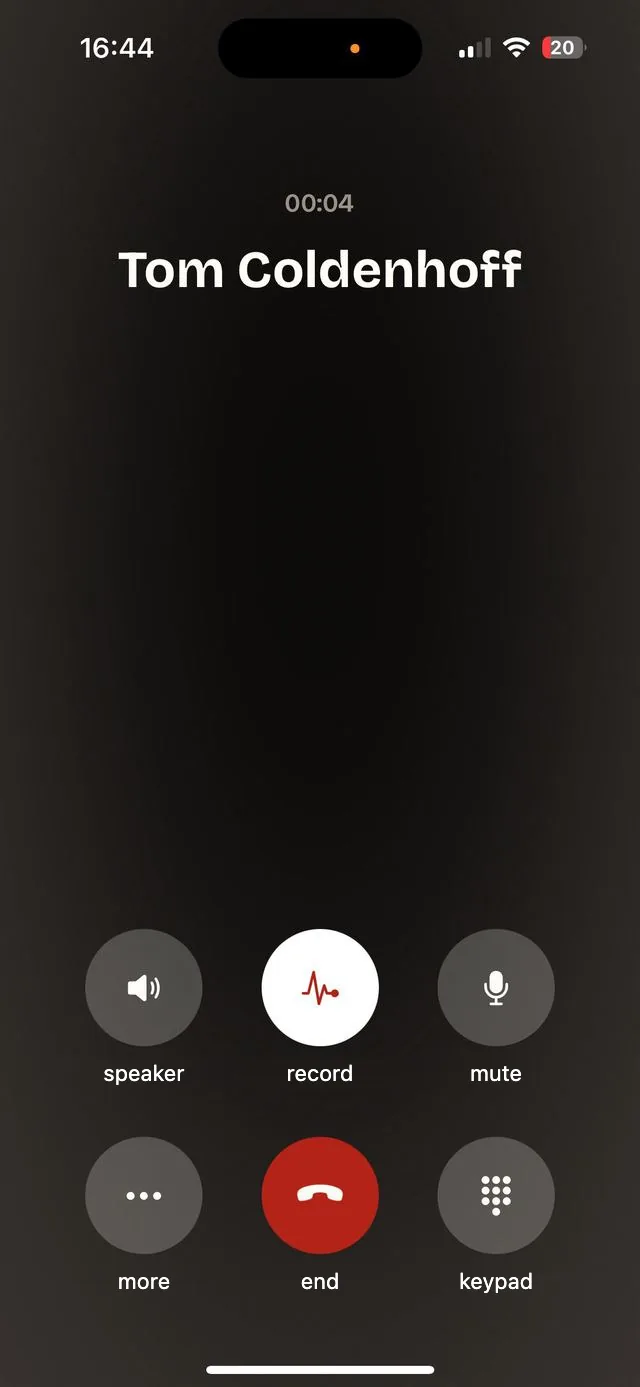
From then on your incoming calls run through your personal Ajora number. You answer as always and there is nothing to do during the call. For outgoing calls you dial from the Ajora app, with your own contacts in it. That part works the same as with Granola: there too you dial from the app.
One condition comes with it: your carrier has to allow call forwarding. It works on KPN, Vodafone/Ziggo, Odido and plenty of other carriers. Where a carrier does not allow it, you add Ajora to the call by hand. How to set it up is in set up call forwarding.
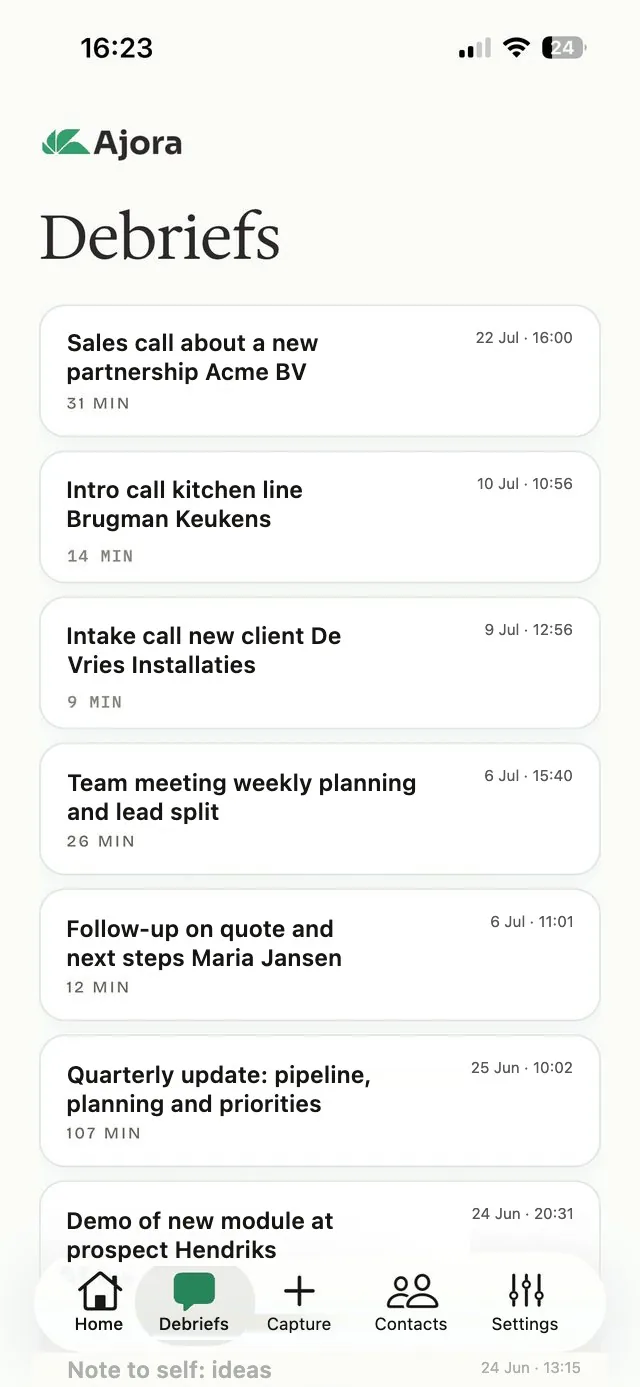
A few minutes after you hang up a debrief is waiting: a summary with the action items and the decisions, and the full transcript underneath.
Ajora does not do video meetings. It captures phone calls and conversations across a table. If your day is full of Zoom, Teams or Google Meet, Granola is the better choice there. Ajora keeps no audio either, same as Granola: you get the transcript and the summary.
Is there a Granola alternative for Android?
For phone calls there is: Ajora works on iPhone and Android, for outgoing and incoming calls. Granola has an Android app of its own, but it is for in-person conversations and not for calling.
The difference is in the route. On mobile Granola records through your phone’s microphone, and only the iPhone app has its own dialler for calls. With Ajora the call runs over the line and not through a microphone, so it does not matter which phone you have. How it works on Android is in automatically record a phone call on your Android.
For a conversation across a table both have something. With Granola you start a note in the app. With Ajora you pick Physical recording under Capture.
Is there a free Granola alternative?
Ajora is not it. It costs €19 a month, or €15 a month billed yearly, with 600 calling minutes a month included. If you want free, Granola’s own Basic plan is the first place to look.
Granola’s Basic plan costs nothing. There is no daily limit on transcriptions, and according to Granola the mobile apps are free to use. The limit is in the history: in the app you only see the notes of the last 30 days. Older notes are kept and come back when you upgrade.
Business costs 14 dollars per user per month, with unlimited history, integrations and API access. Business is billed monthly. Yearly billing is on Enterprise only, from 35 dollars per user per month.
Ajora has no free plan. You pay by the month or by the year, and the calling is part of it: the call runs through Ajora, so the calling minutes come with the subscription. The monthly plan can be cancelled every month, and there is a money-back guarantee for fourteen days after your first payment.
If you only make outgoing calls, from an iPhone, Granola costs you less. If people call you too, or you call on Android, with Ajora you pay for the calls Granola does not capture.
Granola or Ajora: what are the differences?
Granola is built around the meeting and adds a dialler for outgoing calls on iPhone. Ajora is built around the phone call and captures outgoing and incoming, on iPhone and Android. Price, language and storage are in the table.
| Granola | Ajora | |
|---|---|---|
| What it is | An AI notepad for meetings, on your computer and on your phone. | An app that joins your phone calls. |
| Outgoing calls | Yes, on iPhone, when you dial from the Granola app. | Yes, when you dial from the Ajora app. |
| Incoming calls | No. Not supported; the workaround is calling back. | Yes, automatically through call forwarding, if your carrier allows it. |
| Android | In-person conversations yes, phone calls no. | Yes, outgoing and incoming. |
| Conversation across a table | Yes, with your phone’s microphone, on iPhone and Android. | Yes, with your phone’s microphone, through Physical recording. |
| Video meetings | Yes, from the desktop app on macOS and Windows, with no bot in the meeting. | No. |
| Dutch | Yes, one of 17 languages on mobile. The app itself is in English. | Yes, Dutch and English among others. |
| Price | Free Basic plan with 30 days of history in the app. Business at 14 dollars per user per month. | €19 a month, or €15 a month billed yearly, with 600 calling minutes a month. No free plan. |
| Integrations | Slack on the free plan. HubSpot, Attio, Affinity, Notion and Zapier from Business. Sharing is done from the desktop app. | API, webhooks, MCP and Apollo. No ready-made HubSpot integration yet. |
| Does it keep the audio? | No. Audio is deleted after transcription. | No. Audio is deleted after transcription. |
| Where your data sits | AWS in the United States. No EU data residency at this time. | Transcripts and summaries on servers in Germany. Transcription runs through a processor in the United States, after which the audio is deleted. |
| Countries | The dialler works in 40 countries and regions, the Netherlands among them. | Built for the Dutch market. |
Granola’s prices are listed in dollars on its pricing page and are per user. With Ajora, 600 calling minutes a month are included in the subscription.
When is Granola the better choice?
When your working day is mostly video meetings. Granola captures those from your computer with no bot in the call, and Ajora does not do that. Granola also gets you further if you only make outgoing calls from an iPhone, or want to start for free.
Granola is also stronger in ready-made CRM integrations. From the Business plan you share notes to HubSpot, Attio and Affinity, and there is a Zapier integration. Ajora has an integration with Apollo, and for other systems it runs through the API and webhooks.
It does not have to be one or the other. Granola for what is in your calendar, and Ajora for the calls to and from your mobile number.
Frequently asked questions
Can Granola record phone calls?
Yes, outgoing calls on iPhone. You register your number in the Granola app and then dial from the app. The other person sees your own number. Granola names 40 countries and regions where this works, including the Netherlands. Incoming calls are not supported, and the Android app does not take notes on phone calls.
Does Granola work for incoming phone calls?
No. Granola’s documentation says it cannot transcribe inbound calls at the moment, because of limitations in iOS. The workaround it names is asking the caller whether you can call them back. With Ajora an incoming call is captured through call forwarding, which you switch on once in the app.
Does Granola work on Windows and Android?
Yes. The desktop app is available for macOS and Windows, and there are apps for iPhone and Android. The dialler for phone calls is in the iPhone app only. On Android Granola captures in-person conversations.
Does Granola work in Dutch?
Yes. Dutch is on the list of languages Granola transcribes: 31 on desktop and 17 on mobile. The app itself is in English only. On mobile Granola picks the language that dominates in a conversation, and it advises sticking to a single language. On desktop there is a mode that transcribes several languages in the same meeting.
What does Granola cost?
Basic is free, with the notes of the last 30 days in the app. Business costs 14 dollars per user per month and is billed monthly. Enterprise starts at 35 dollars per user per month. According to Granola the mobile apps are free to use. For comparison: Ajora costs €19 a month, or €15 a month billed yearly, with 600 calling minutes a month.
Where does Granola store your data?
On AWS in the United States. Granola writes that it does not offer EU or UK data residency at this time. It says it complies with the GDPR and offers a data processing addendum with the EU and UK Standard Contractual Clauses. Audio is deleted after transcription. With Ajora, transcripts and summaries sit on servers in Germany; transcription runs through a processor in the United States, after which the audio is deleted.
Does Ajora record meetings in Zoom, Teams or Google Meet?
No. Ajora captures phone calls and conversations across a table. For video meetings Granola is the better choice.
Does Ajora work when someone calls me?
Yes. You switch on call forwarding once in the app, and after that an incoming call comes along without you doing anything. That works on KPN, Vodafone/Ziggo, Odido and plenty of other carriers. Where a carrier does not allow it, you add Ajora to the call by hand.
Am I allowed to record a phone call?
In the Netherlands you may record a conversation you take part in yourself. If you use it for work, you are processing personal data and the GDPR applies. That is written out in a separate piece: is it legal to record a call.
Comparing with a recording device rather than a notetaker? Read Plaud alternative. For a recording app there is Ajora vs TapeACall.
You can try Ajora free for seven days, with 60 calling minutes included. Create an account at debrief.ajora.io/register, install the app and call the way you always do; after your first call the debrief is waiting.
Sources
- Phone calls: iOS only, outbound only, with the list of countriesGranola Docs, accessed 11-10-2026
- Getting started with Granola for mobile, with the differences between iOS, Android and desktopGranola Docs, accessed 11-10-2026
- How transcription works on mobile, on recording through your phone’s microphoneGranola Docs, accessed 11-10-2026
- Multi-language support, the supported languages per platformGranola Docs, accessed 11-10-2026
- Security, Privacy & Data FAQs, on storage in the United States, the GDPR and audioGranola Docs, accessed 11-10-2026
- Subscriptions and billing, with the plans, the 30-day history and how billing worksGranola Docs, accessed 11-10-2026
- Pricing plans, with the prices and what each plan includesGranola, accessed 11-10-2026
- HubSpot, on sharing notes from the desktop appGranola Docs, accessed 11-10-2026

One of the three co-founders of Ajora. Jort focuses on user experience and growth.